Tools / Analysis
OpenAI’s dots keep working after you leave
Always-on agents, a more affordable model for complex work, and a shared home for people and AI. The important DevDay announcements, the access limits, and the comparison with Claude that actually matters.


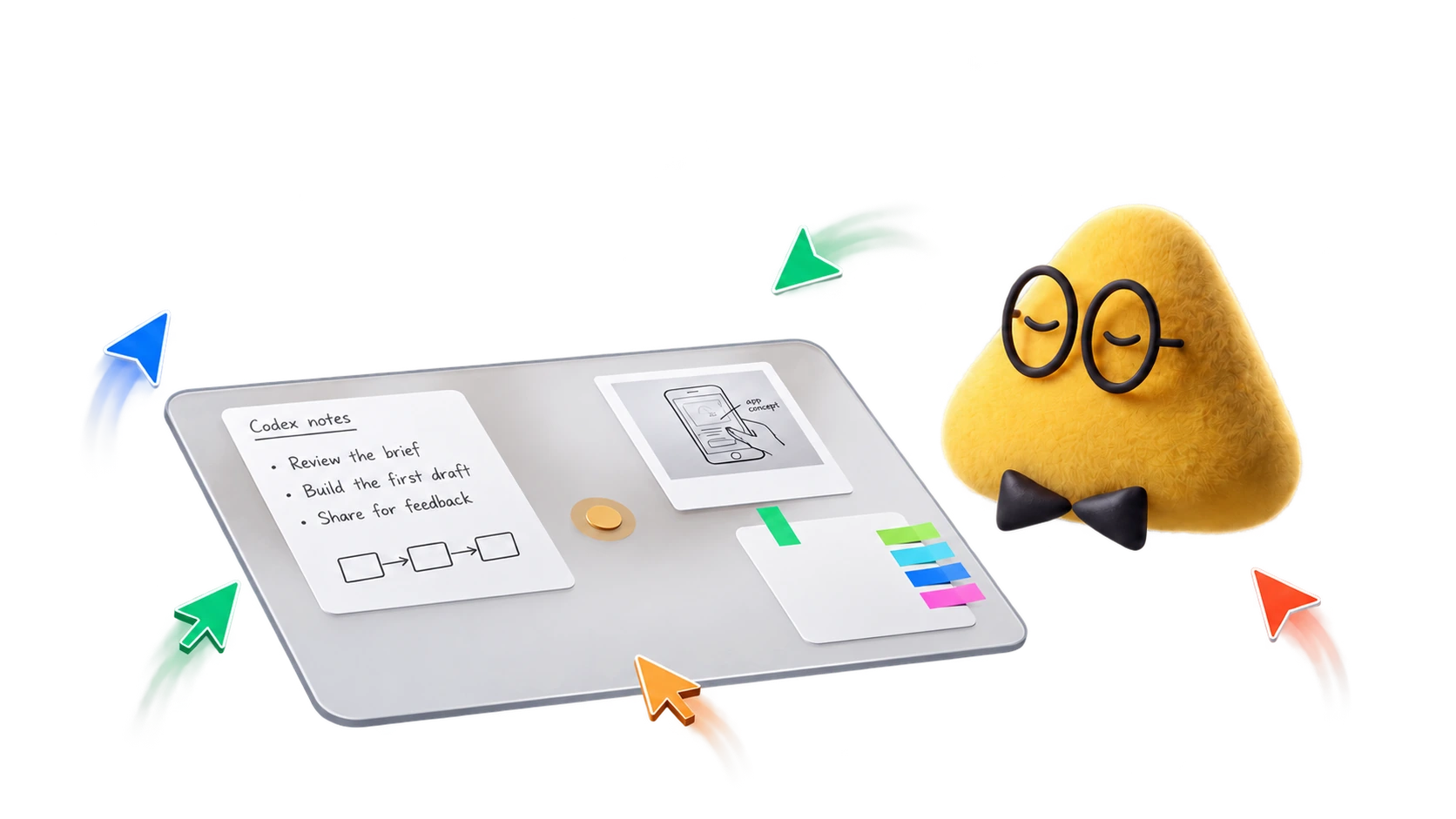
At OpenAI’s 29 September DevDay, the clearest change was what happens after you leave the conversation. Its new dots have their own cloud computer and can carry work between conversations. The promise is that you return to a draft, a finding or a change to review, with less time spent assembling the context again.
Dots are OpenAI’s answer. DevDay also brought GPT-6.1 Sol and a collection of workspace, coding and developer updates. My reading of the event is that the useful unit of AI is shifting toward an ongoing project: its sources, decisions, files and next actions. That is a more consequential change than a new number in a model picker.
A dot has its own computer. You keep the decisions.
Dots are persistent agents powered by GPT-6 Astra. They have a cloud computer, work through connected apps and carry context between conversations. OpenAI’s launch examples include investigating customer feedback, preparing fixes and turning interview transcripts into clip ideas, show notes and draft posts. These are the company’s proposed workflows, rather than results I have tested.
OpenAI also describes an early tester whose dot noticed a missing invoice, prepared it and sent it after approval. It is a modest example with a clear result: an unfinished piece of work becomes something the person can review. That makes the idea of a persistent agent more concrete than the mascot alone.
Sources: OpenAI [3] · OpenAI Help Center [4]
Alfred has its own computer. You can take over.
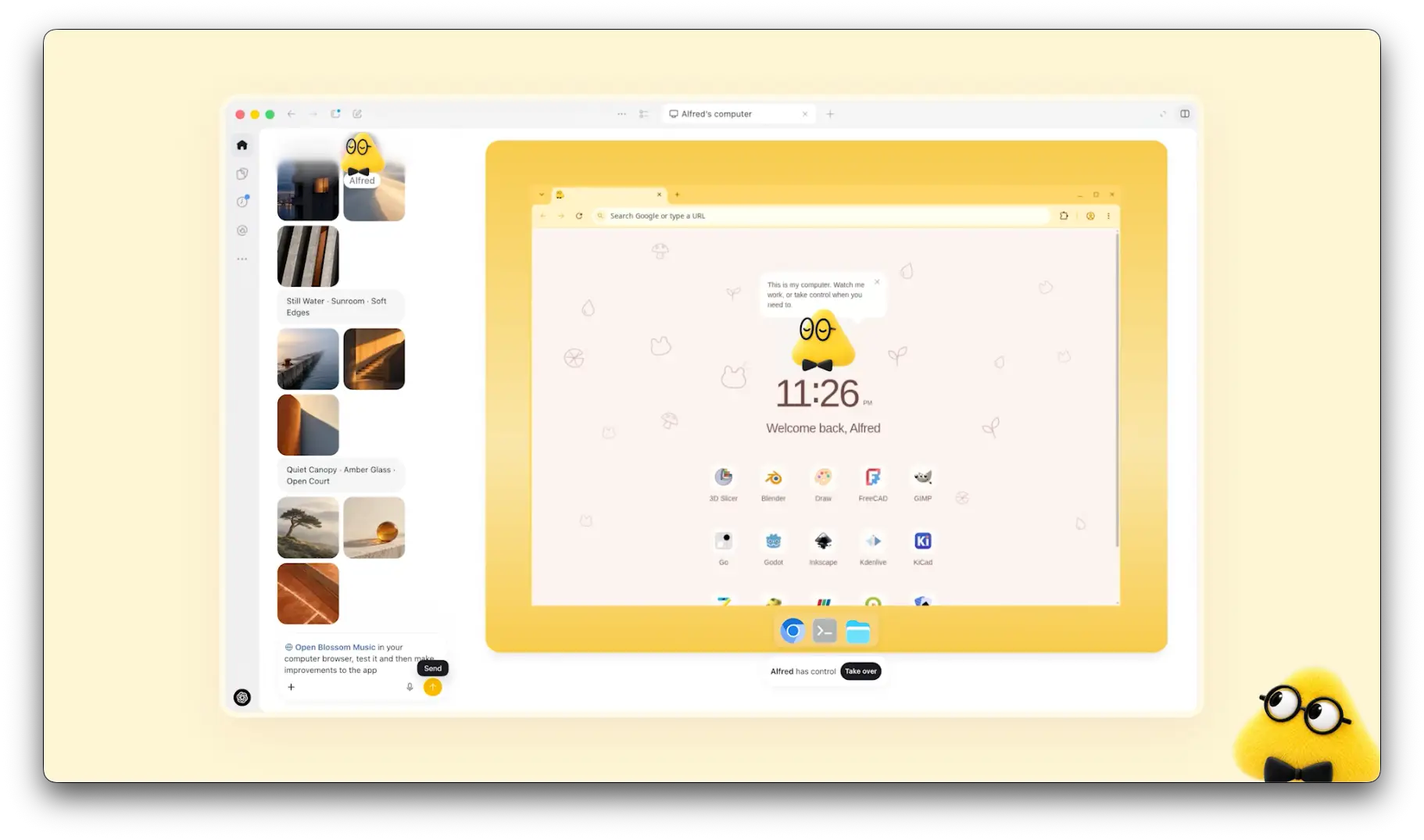
OpenAI’s official demo interface. The Take over control lets the user step into the dot’s computer.
“Always on” has an important boundary
The background research mode can read permitted connected sources and keep notes. Its research tools cannot send messages, change app content or operate a computer. Actions follow separate rules, permissions and review checks. Custom Rules let you define additional boundaries; Activity View shows ongoing work. Connecting your own computer is optional and starts disabled.
That distinction makes the product easier to judge. An agent noticing an unfinished task and an agent acting on your account are different promises. Before delegating an ongoing project, decide which discoveries should become drafts, which changes it may make, and which decisions must come back to you.
Sources: OpenAI Help Center [5] · OpenAI Help Center [4]
GPT-6.1 Sol: the practical upgrade is the economics
GPT-6.1 Sol improves on GPT-6 Sol for coding, computer use and professional work. OpenAI reports performance close to Astra on several evaluations, at lower cost. The launch is in ChatGPT Work, Codex and the API; it is not yet in Chat mode. Calling this a universal “ChatGPT 6.1” upgrade would obscure that difference.
Standard API rates are $2 per million input tokens, $0.10 for cached input and $10 for output. Sol accepts text and images and produces text; image generation uses a separate tool. Its context window is 1.05 million tokens. Above 272K input tokens, input and cache rates double and output costs 1.5 times the base rate.
The attractive possibility is more room for revisions within the same budget. To judge that in practice, use the same repository, brief and requested change for both models. Record the time to a reviewed result, the corrections and the total cost. A cheap draft that needs extensive repair can be an expensive result.
Sources: OpenAI [6] · OpenAI Developers [7]
GPT-6.1 Sol, introduced at DevDay
Official GPT-6.1 Sol launch graphic from OpenAI’s DevDay recap.
Space gives the work somewhere to live
ChatGPT Space brings files and pages into a shared workspace. People can edit pages together, comment and bring ChatGPT or a dot into the work. Pages can contain research, charts and visualizations. Collaborative slides and spreadsheets are listed as coming soon; mobile currently supports finding, reading and sharing rather than the full editing experience.
For a creative team, I would start with one production brief: references, agreed decisions, deliverables and unresolved questions. The interesting possibility is keeping those pieces together as the project changes. A new comment should update the relevant decision or draft, rather than become another detail someone must remember to copy between tools.
Sources: OpenAI [8]
Pages, ideas and a shared place to work
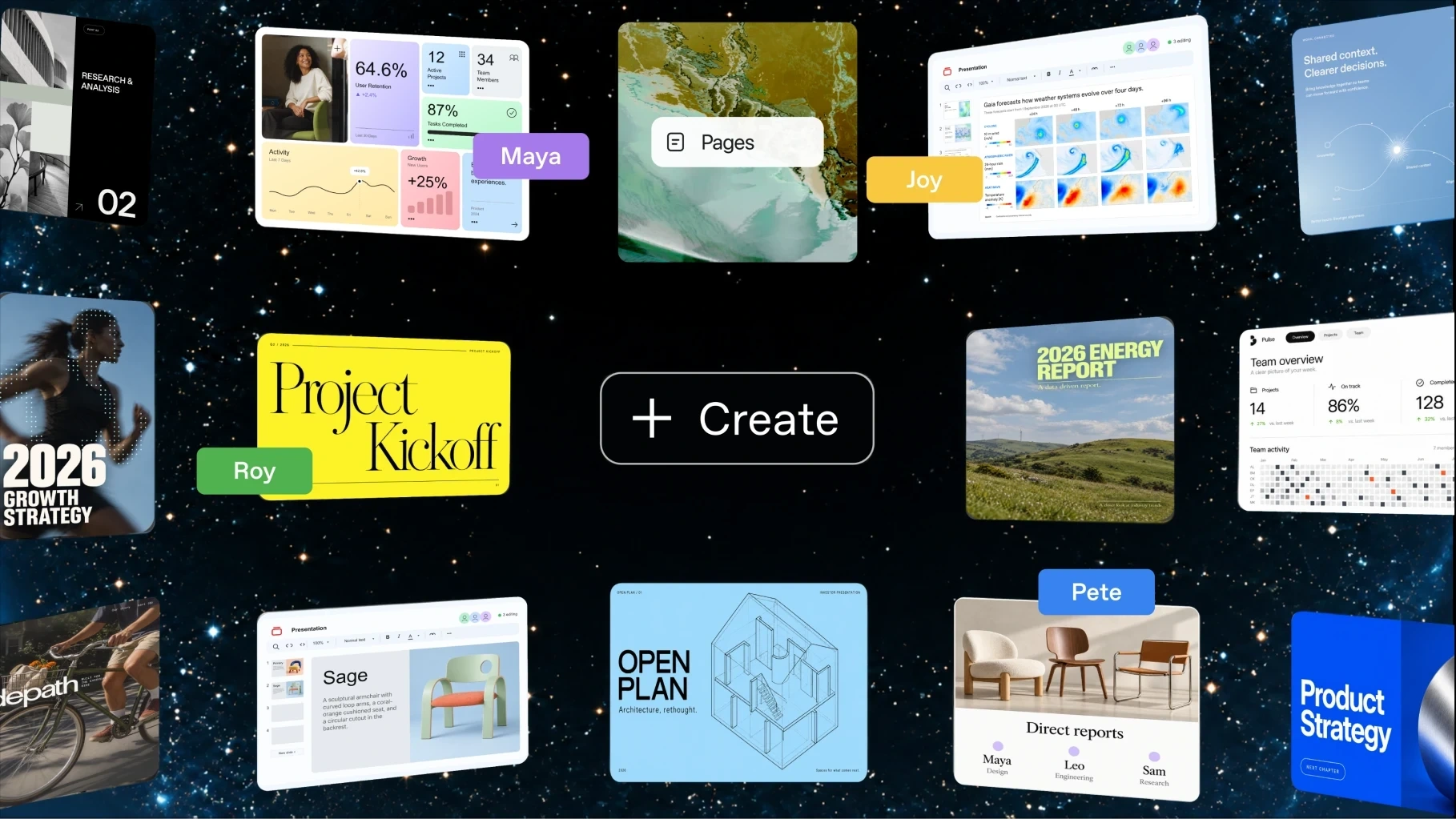
Official DevDay product visual. It includes presentation examples; collaborative slides and spreadsheets are still listed as coming soon.
One page, several collaborators
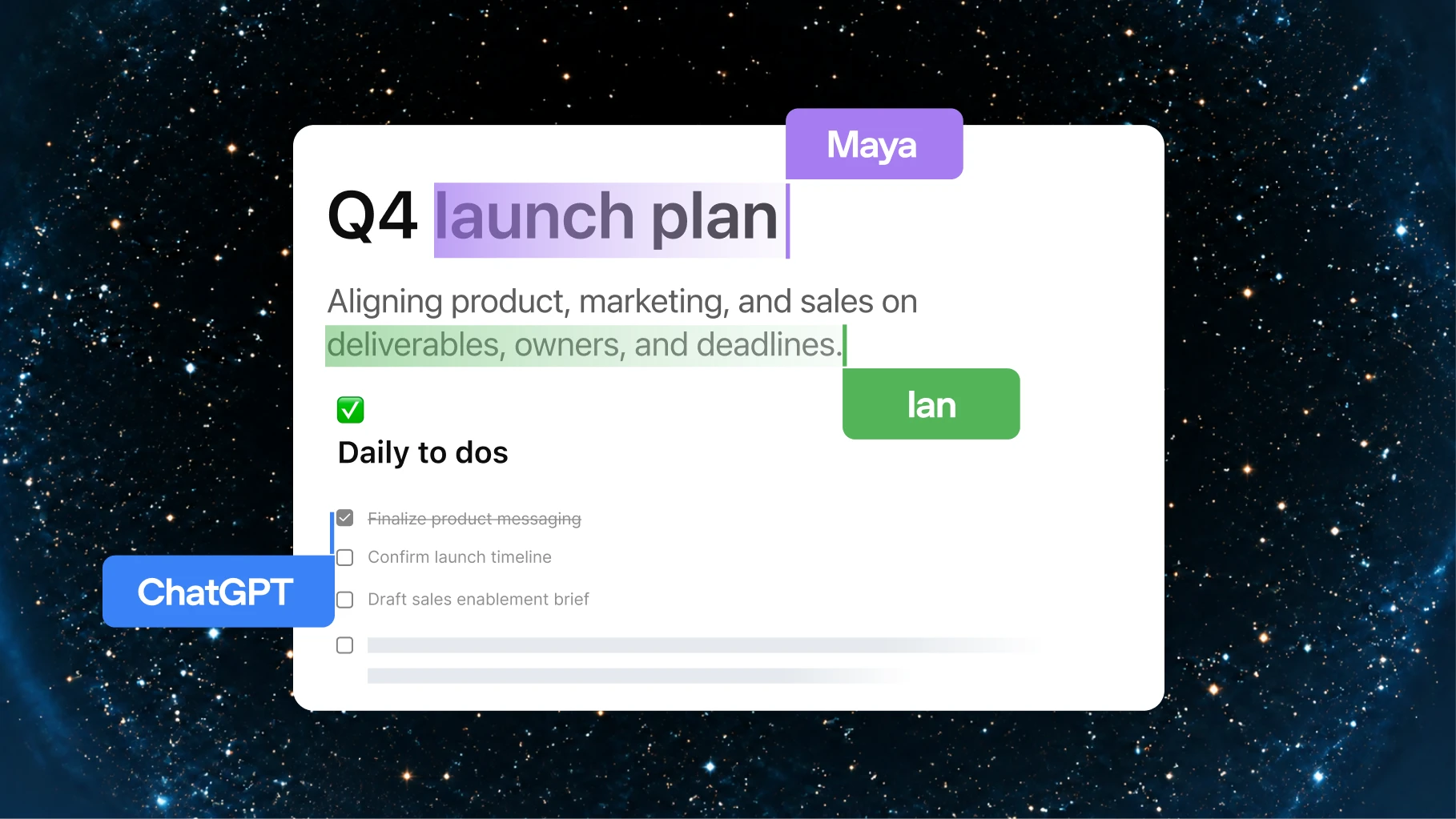
OpenAI’s example puts teammates and ChatGPT in the same launch plan.
Watch the demo—and the moment it slows down
The live walkthrough starts around 9:40, using a fictional music app called Blossom. The presenter delegates a build, speaks with her dot and brings it into a shared page. Around 12:00, a voice request takes time; later she acknowledges an error in a Codex thread. The presentation shows the direction of the product and some friction alongside it.
That makes this segment worth watching beyond the announcement film. Pay attention to the handoffs: what the presenter delegates, what comes back, and where she checks progress. An agent’s value is easier to understand in that sequence than in a promise that it can handle everything.
Sources: OpenAI / YouTube [2]
OpenAI DevDay 2026 — full keynote
Official presentation, 29 September 2026. Dots introduction film around 3:06; live dots and Space walkthrough around 9:40. These are presentation examples, not an independent product test.
Codex can continue in the cloud. Review remains the finish line.
Codex Cloud uses reusable development environments, with a separate workspace for each task. Work can continue while your computer sleeps. The refreshed CLI adds voice steering and an /agents view. Code Review brings pull-request context and diffs into the desktop app; GitHub support is generally available, while GitLab support is in preview. Security Cloud can scan connected repositories and monitor commits.
The cloud environment matters when several changes need the same dependencies and project setup. Instead of rebuilding that context for each task, a team can reuse the environment and review the resulting changes. The practical question is whether a task arrives with enough evidence to make review quicker: a clear diff, relevant checks and an explanation of what changed.
Sources: ChatGPT Learn [9] · ChatGPT Learn [10] · ChatGPT Learn [11] · ChatGPT Learn [12]
Read the diff. Discuss the change.
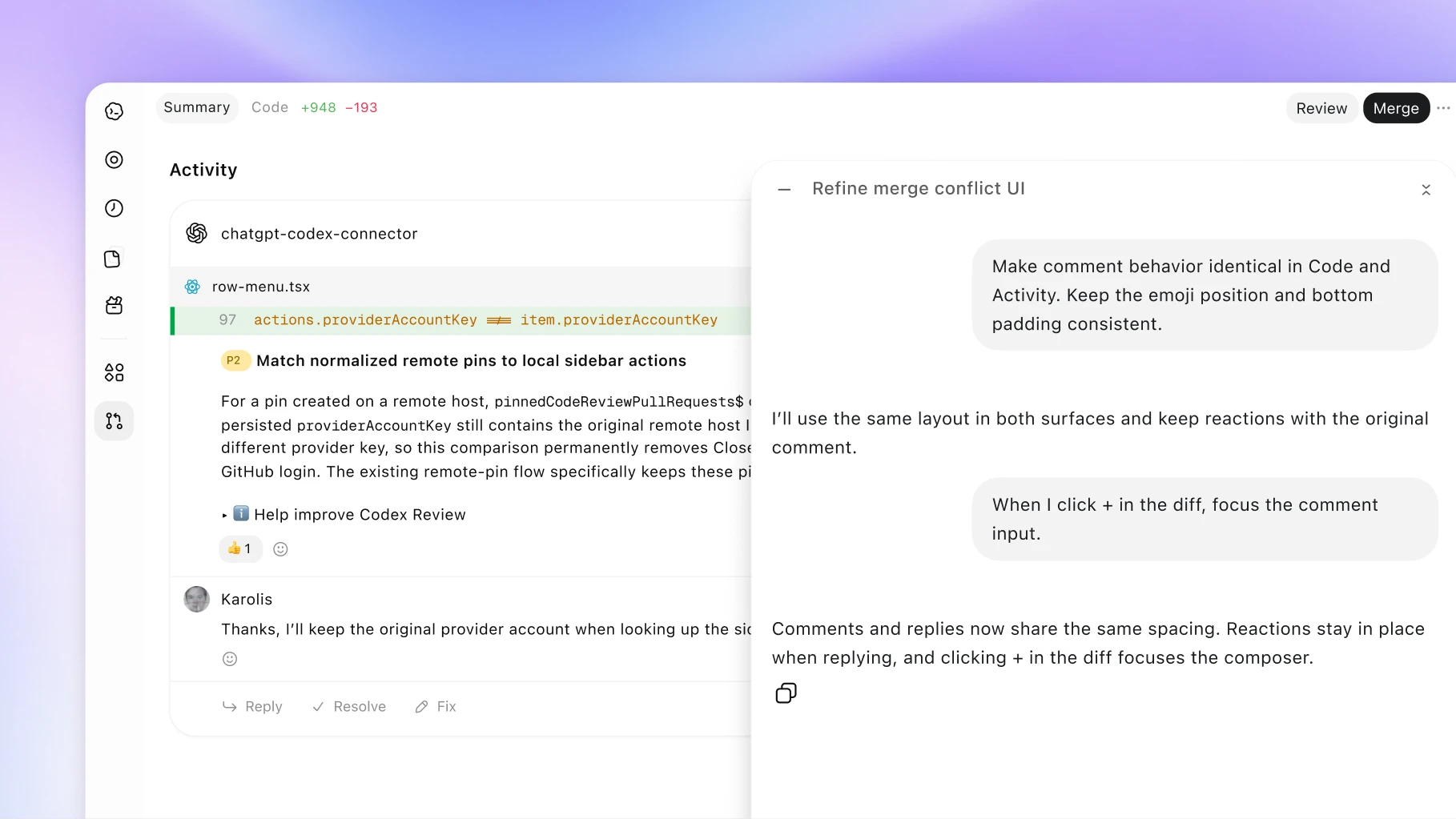
The official interface places the code diff and the conversation about it side by side.
The platform changes make the pieces connect
Plugin extensions add native surfaces such as sidebars, panels and file viewers. MCP Events let connected services notify ChatGPT about changes, following subscriptions the user requests. The Agents API now supports an OpenAI-hosted browser for UI tasks. The API itself launched earlier in September; DevDay added computer use, rather than introducing the entire API for the first time.
That combination could make a precise instruction useful over time: when a client leaves a new comment on this approved document, prepare a revision and show me the diff. The event supplies a trigger; the connected tool supplies the document; the review step supplies a stopping point. This is a workflow to build and validate, not something every plugin automatically supports.
Other announcements include Decisions API, Bedrock Managed Agents, Private Intelligence, shareable profiles and OpenAI Marketplace. The official recap links each to its launch status.
Sources: OpenAI Developers [13] · OpenAI Developers [14] · OpenAI Developers [15] · OpenAI [16] · OpenAI [1]
Canva inside ChatGPT
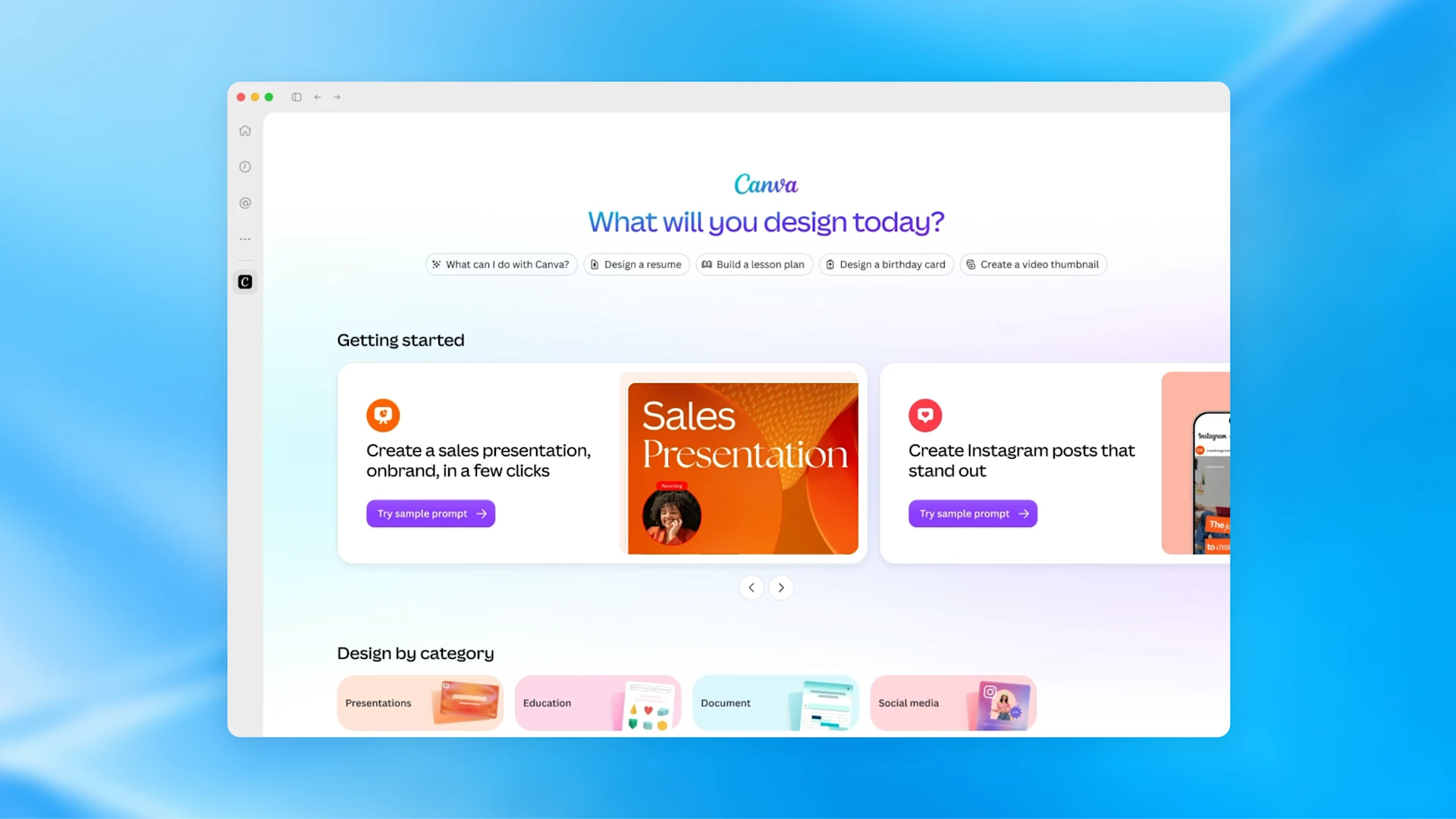
OpenAI’s DevDay example shows a plugin bringing its own working interface into ChatGPT.
A meeting can become a shared plan
The Meetings plugin turns a conversation into personalized notes and action items in Space. Your own notes stay alongside the summary, which you can share and use for follow-up work. It launches as a macOS beta for Pro and Business; Enterprise has a limited alpha. Other operating systems are still coming.
Team Tasks add shared recurring work: a team can maintain the instructions for a weekly update or a response to a new project event. The team’s configured connections determine which accounts the task uses. For a creative production, that is a useful place for an agreed brief to become a recurring progress update—with a named team responsible for it.
Sources: OpenAI Help Center [21] · ChatGPT Learn [22]
A recurring task your team can share
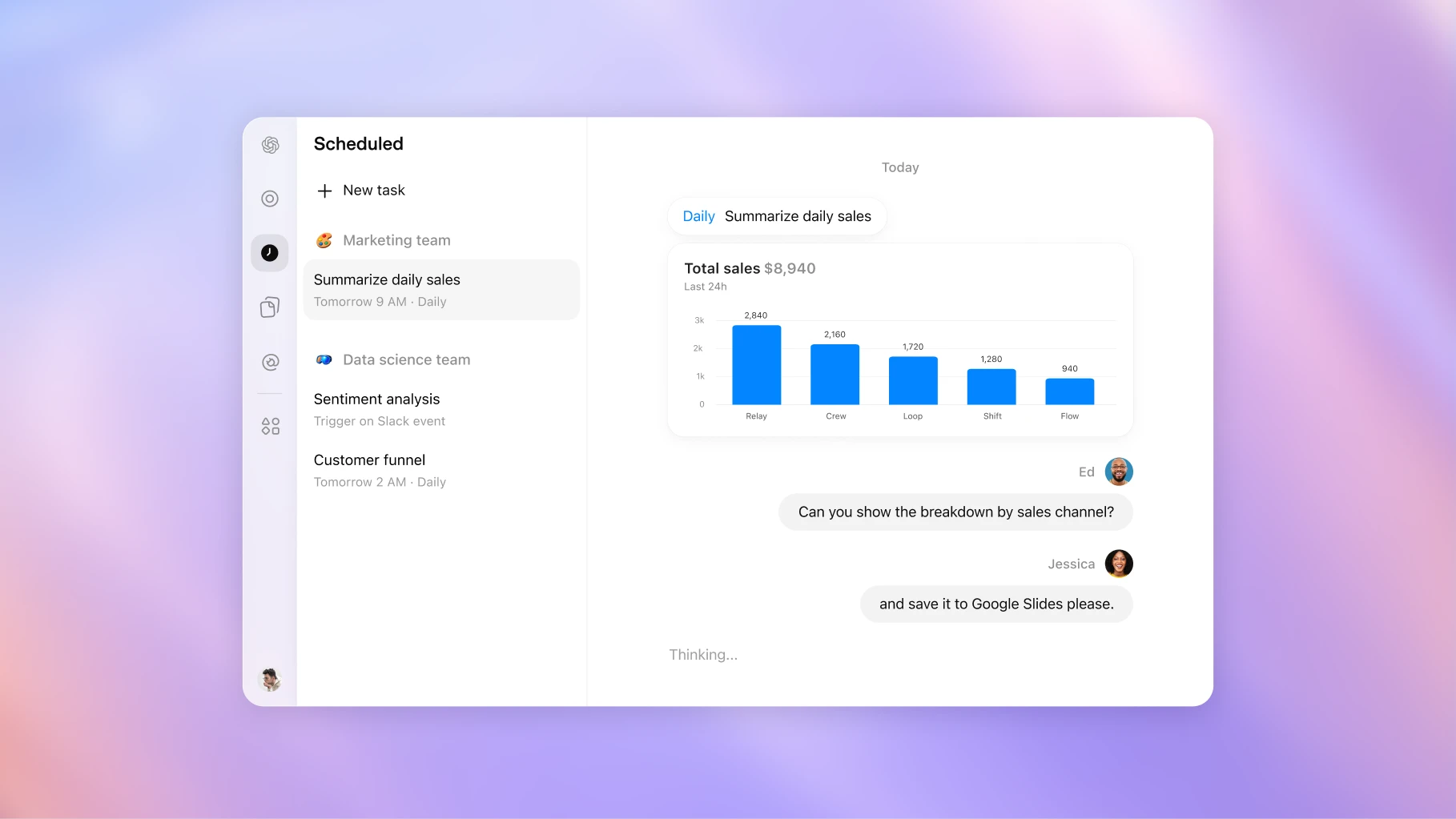
The official example shows a scheduled sales summary with follow-up questions in the same workspace.
What your plan actually gets
Access is rolling out gradually. A feature appearing in the keynote does not mean it is enabled in every account. The table separates current availability from previews and upcoming releases; check the linked product documentation before changing a subscription.
A first dot is included with Pro and Business Premium. Talking to it does not use ChatGPT limits; delegated Work and Codex tasks still do.
Pro 500 costs $500 a month and includes Ultrafast. Pro 100 and Pro 200 do not include it. For Astra, the keynote recap claims up to 8× faster token generation in Codex and up to 6× in the API. Those are token-speed claims, not promises that a complete project finishes six or eight times faster. Sol Ultrafast is coming later.
Partner sign-in is a separate change: Plus and Pro users can let participating tools draw on their ChatGPT allowance and set per-app limits. Partner subscriptions and infrastructure charges may remain separate. “Use my ChatGPT plan” does not mean every connected product becomes free.
Sources: OpenAI [3] · OpenAI Help Center [4] · OpenAI [6] · OpenAI [8] · OpenAI Help Center [18] · OpenAI Developers [17] · OpenAI Help Center [19] · OpenAI Developers [13] · OpenAI [1] · ChatGPT Learn [9] · ChatGPT Learn [10] · ChatGPT Learn [11] · ChatGPT Learn [12] · OpenAI Help Center [21] · ChatGPT Learn [22]
| Feature | Who can use it | Launch detail |
|---|---|---|
| Dots | Pro; Business Premium | Gradual rollout. Pro excludes EEA, Switzerland and UK; Business Premium covers supported ChatGPT regions. |
| Dots beta | Enterprise, Edu, Healthcare | Administrator must enable it; off by default. |
| GPT-6.1 Sol | Plus, Pro, Business, Enterprise, Edu; API | Work and Codex; not yet Chat mode. |
| Space and Pages | Pro, Business, Enterprise | Web and desktop editing. Slides, spreadsheets and mobile editing coming soon. |
| Astra Ultrafast | API; Pro 500 and Enterprise in Work/Codex | Premium speed tier; API billing is separate. |
| Plugin extensions | All plans announced | Free/Go web support coming soon; composer mentions are desktop-only. |
| Codex Cloud | Plus, Pro, Business, Enterprise, Edu, Healthcare | Reusable environments; one workspace per task. |
| Codex CLI and Code Review | All plans announced | GitHub review available; GitLab in preview. |
| Codex Security Cloud | Pro, Business, Enterprise, Edu | Web and desktop; repository access required. |
| Meetings | Pro and Business | macOS beta; limited Enterprise alpha. |
| Teams and Team Tasks | Business and Enterprise | Shared instructions and scheduled or event-triggered work. |
Use your ChatGPT plan in a partner tool
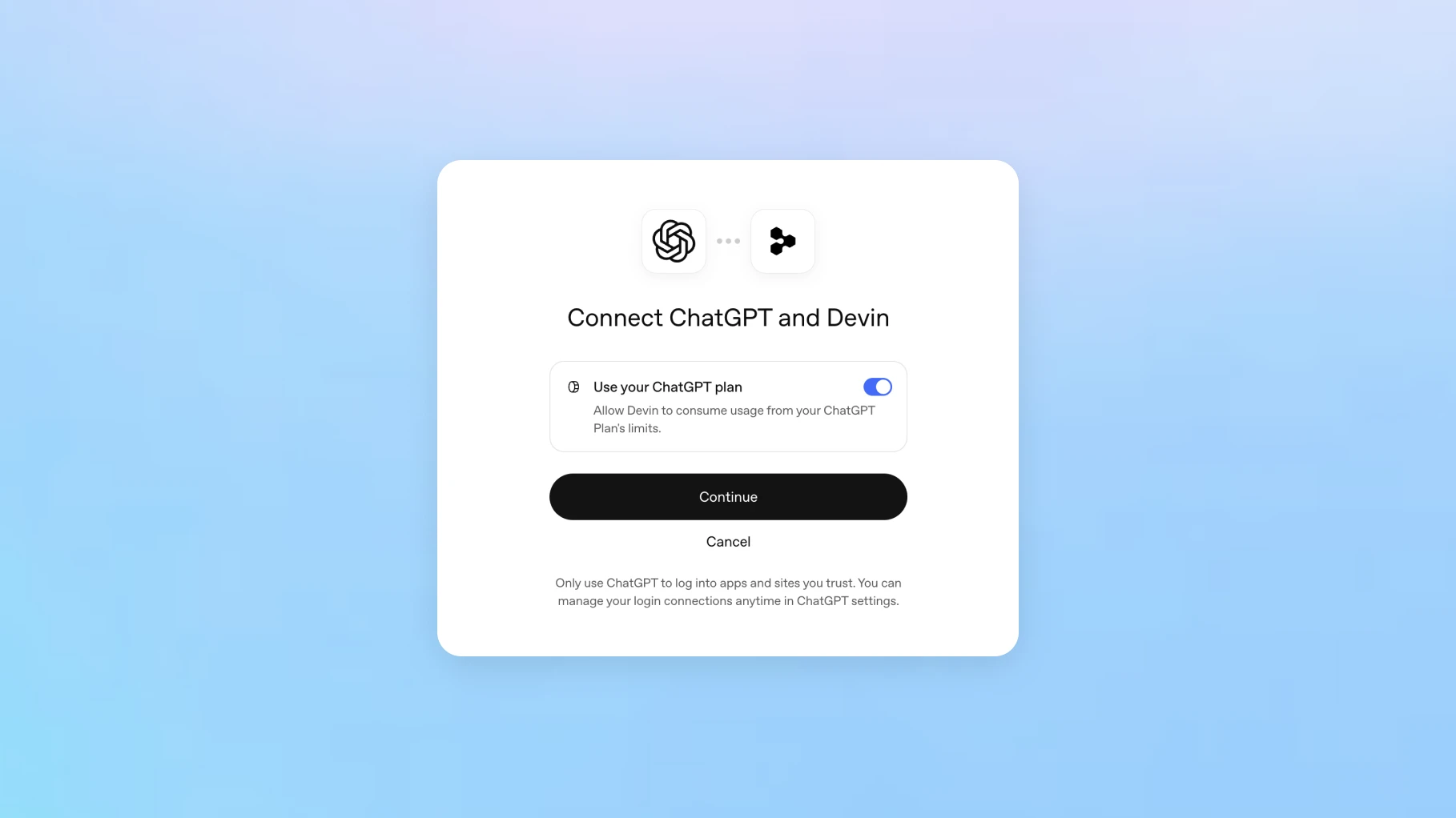
OpenAI’s example shows Devin connecting to a ChatGPT plan. Plan eligibility and usage allowances still apply.
Sol or Sonnet? Compare the job, then the price.
Claude Sonnet 5.5 arrived on 28 September. Anthropic positions it for defined tasks and quick iteration, with Opus 5.5 stronger at complex, open-ended work. Its standard input and output rates match Sol’s. That makes completed-task cost, revision quality and the tools around the model particularly useful things to compare.
There is no defensible overall winner in these launch posts. Anthropic’s published comparisons include GPT-6 Sol, the predecessor of 6.1; OpenAI’s new post compares several results with Opus 5.5. The releases also cite different benchmark versions. Reading those charts as a controlled Sol 6.1-versus-Sonnet 5.5 contest would create a comparison the sources did not perform.
For design and editorial work, I want to see whether a model follows the reference, keeps changes within scope, checks the facts and delivers something usable. Try both on the same materials and keep the first drafts as well as the final versions. That record tells you more about your workflow than a spectacular example chosen by either vendor.
Sources: Anthropic [20] · OpenAI [6] · OpenAI Developers [7] · Anthropic / Claude Platform Docs [23]
| Rate | GPT-6.1 Sol | Claude Sonnet 5.5 |
|---|---|---|
| Input | $2 | $2 |
| Output | $10 | $10 |
| Cache reads | $0.10 | $0.20 |
SOURCES & METHOD
The record behind the article
Reported from official OpenAI release posts, product documentation and the keynote transcript, checked on 30 September 2026, with Anthropic’s release used for the comparison. Availability can vary during rollout. Workflow suggestions and the interpretation of the event are editorial analysis. No firsthand comparative testing was conducted. Official media are credited individually; the cover is an editorial illustration.
- DevDay 2026 Recap ↗OpenAI · 2026-09-29
- OpenAI DevDay 2026 Keynote (FULL) ↗OpenAI / YouTube · 2026-09-29
- Introducing dots ↗OpenAI · 2026-09-29
- Getting started with your dot ↗OpenAI Help Center
- Dots privacy, security, and safety FAQs ↗OpenAI Help Center
- Introducing GPT-6.1 Sol ↗OpenAI · 2026-09-29
- GPT-6.1 Sol model specification ↗OpenAI Developers
- ChatGPT Space: features and availability ↗OpenAI
- Run coding tasks in the cloud ↗ChatGPT Learn
- Codex CLI ↗ChatGPT Learn
- Code review ↗ChatGPT Learn
- Codex Security Cloud setup ↗ChatGPT Learn
- Plugin Extensions ↗OpenAI Developers
- MCP Events ↗OpenAI Developers
- Computer use in the Agents API ↗OpenAI Developers
- Introducing the Agents API ↗OpenAI · 2026-09-10
- Ultrafast mode ↗OpenAI Developers
- About ChatGPT Pro tiers ↗OpenAI Help Center
- Using your ChatGPT plan in other apps and sites ↗OpenAI Help Center
- Introducing Claude Sonnet 5.5 ↗Anthropic · 2026-09-28
- The Meetings plugin in ChatGPT ↗OpenAI Help Center
- Set up and manage teams and Team Tasks ↗ChatGPT Learn
- Claude API model pricing ↗Anthropic / Claude Platform Docs