Tools / Analysis
Meshy opens ThreeRT, a path tracer built to show coding agents the scene
The MIT-licensed engine renders scenes written with a three.js-style API. A night-street comparison shows where the native renderer gains realism, and what it gives up to reach 60 frames a second.
In Meshy’s two versions of the Bistro at night, look down at the cobblestones under a street lamp. In the ThreeRT image the stone pattern continues deeper into the street and light picks out more of the window frames. The company’s three.js comparison leaves those details darker. Both views come from the same scene file. Meshy published the comparison on November 20 as it introduced ThreeRT, a real-time path tracer released under the MIT license.
ThreeRT began with a feedback problem. A coding agent can write a wall, lamp and camera into a scene. Its next decision depends on seeing a useful image of the result. Meshy designed a cloud setup in which the agent sends the scene and camera to a GPU-backed renderer for individual captures. A deterministic game runtime lets the developer replay the same sequence and compare the visual outcome of an edit at the same point in time.
The frame budget
The Rust engine uses wgpu and hardware ray queries on supported Metal and Vulkan devices. Path tracing follows light as it interacts with surfaces. That puts shadows, reflected colour and the glow around an emissive object into one calculation. At interactive speeds the renderer has only a few samples to work with. ThreeRT reuses information from earlier views, discards it where camera motion reveals new surfaces, and filters the remaining noise. The authors say indirect light can take a quarter of a second to a second to settle when a turn reveals an area the camera could not see before.
On Meshy’s Apple M5 test, ThreeRT’s 720p Bistro output averaged 15.5 ms a frame in the dynamic mode with about 55% internal resolution. Full-resolution rendering took 40.3 ms, about 25 fps. The team’s tuned WebGL comparison took 15.9 ms. Its mean colour difference against the offline reference was 12.1, compared with 3.4 for dynamic ThreeRT in this scene. The comparison says how the implementation behaved on this machine with this scene. It gives no general frame-rate guarantee for a different project.
Sources: Meshy [1] · Meshy / GitHub [2] · Meshy / GitHub [3]
Bistro in the three.js comparison
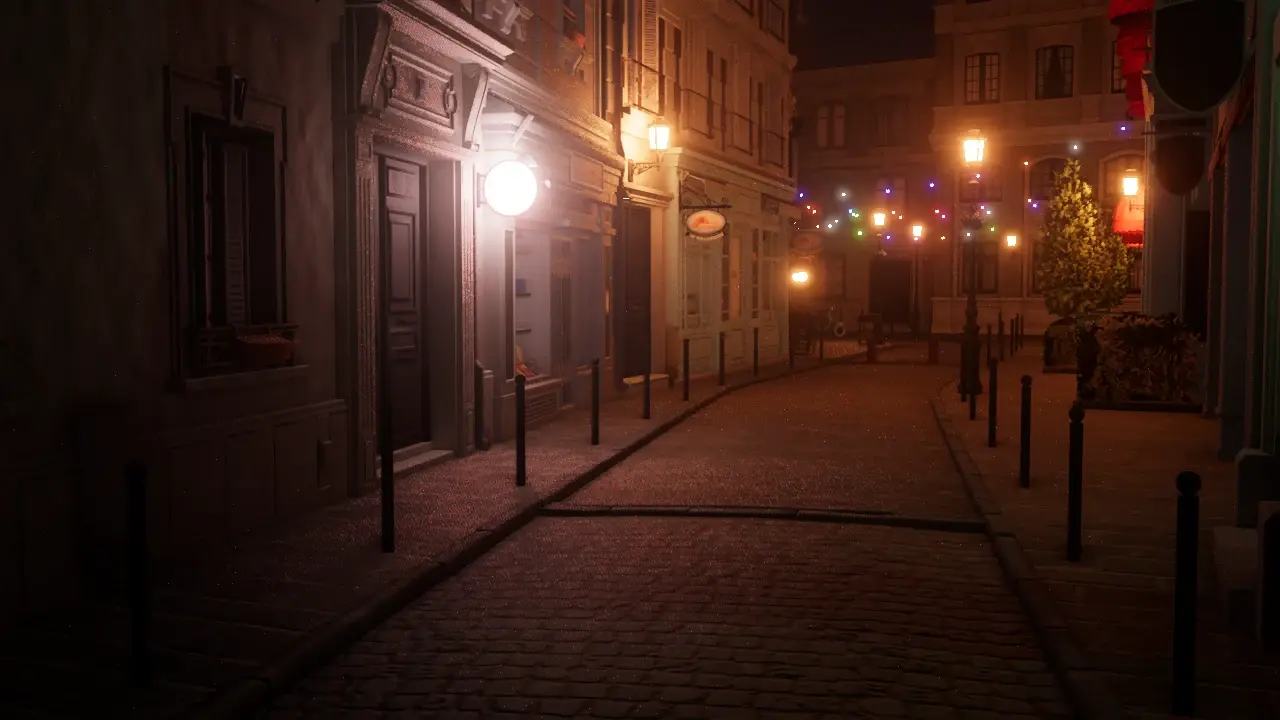
Meshy’s WebGL comparison uses the same scene and camera.
Bistro in ThreeRT
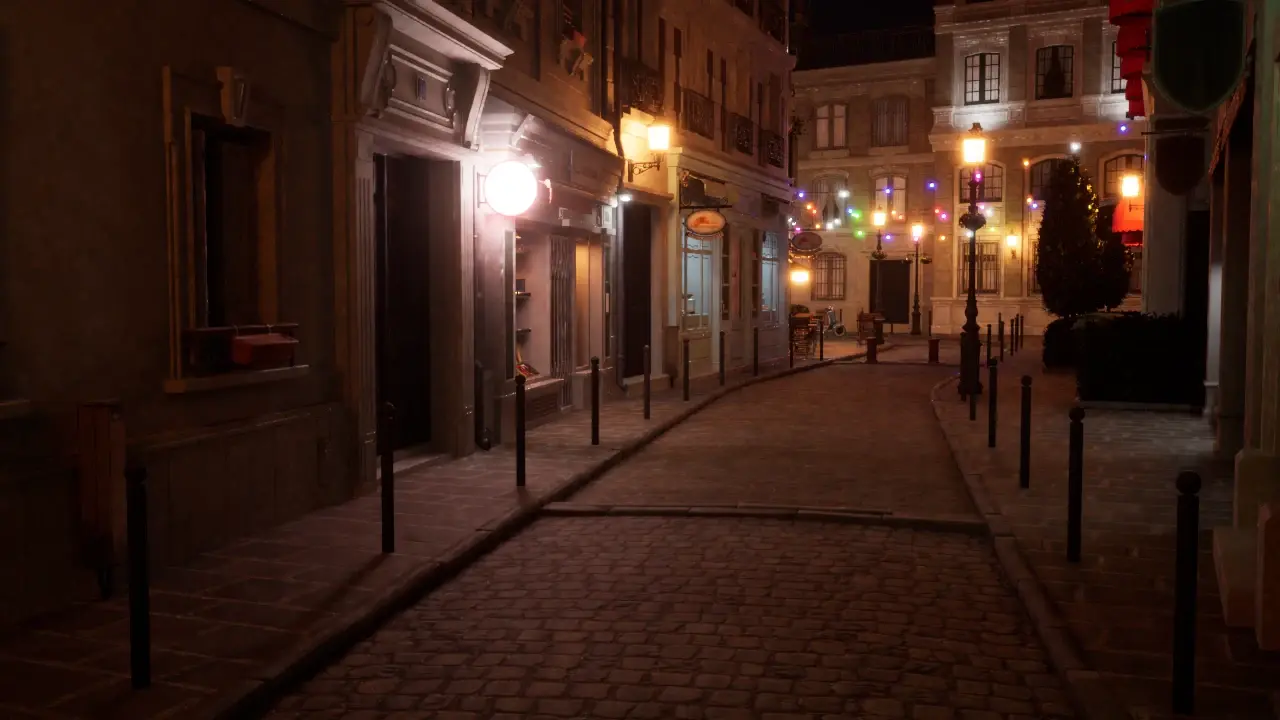
Compare the light reaching the cobblestones and the window frames farther down the street.
What follows the project to the browser
The same project can run with path tracing in a native client and with three.js rasterization in a browser. The native clients currently target Apple-silicon Mac and iOS devices. The renderer source is open, while the packaged native clients are free to use and closed source. For a small game team, the most immediate use is a shared scene that an agent can inspect and a player can open in the browser. When that scene relies on reflected light or glowing objects for its mood, review both builds. The lighting the audience sees can change with the runtime.
Sources: Meshy / GitHub [2] · ThreeRT [4]
Open the playable browser projects
The browser examples use three.js rasterization.
SOURCES & METHOD
The record behind the article
Checked 21 November 2026. Technical claims are grounded in developer documentation; videos are credited to their creators. Company claims and third-party reviews are attributed in the text; conclusions are editorial analysis. No original comparative testing of these releases was conducted for this article.
- Meshy announcement and Bistro images Meshy
- Source repository Meshy / GitHub
- Test setup and other scenes Meshy / GitHub
- Playable projects ThreeRT